AI Video Editor in 2026: Best Tools for Faster, Smarter Editing
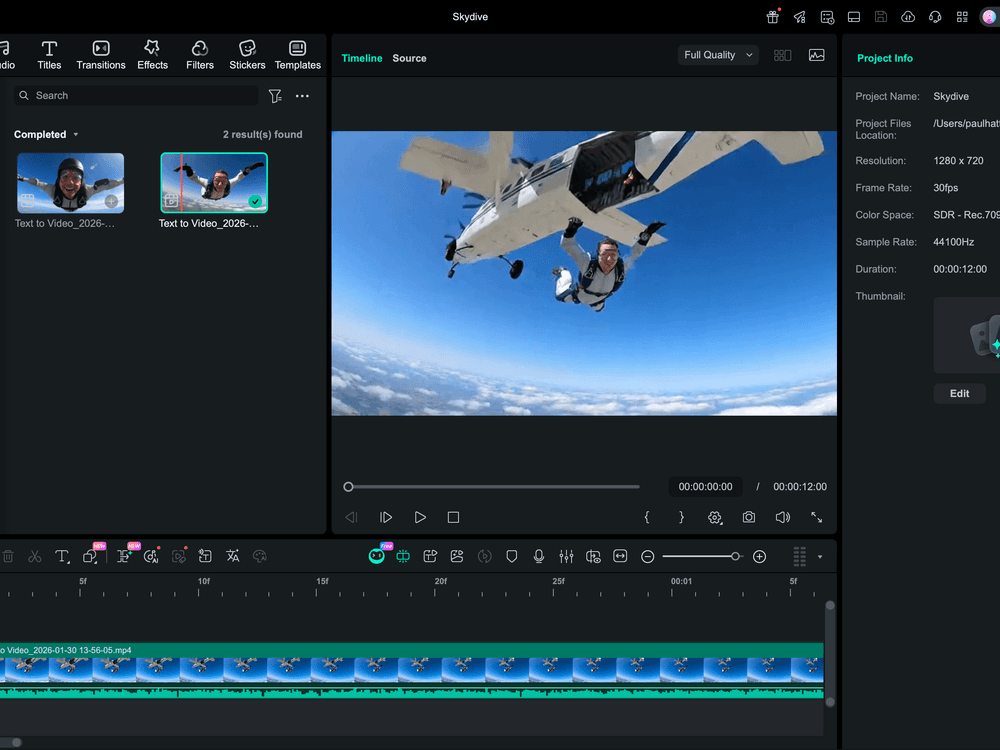
An AI video editor uses artificial intelligence to automate time-consuming editing tasks — auto-cutting footage, removing backgrounds, transcribing and subtitling, color grading, and generating B-roll. Over 27,100 people search "AI video editor" every month. This guide and review covers the best AI video editors in 2026 by use case: content creators, social media marketers, and professional editors. The best tools in 2026 save hours per project.
!AI video editor guide 2026 — best tools for faster editing reviewed
Best AI Video Editors in 2026
1. CapCut — Best AI Video Editor for Content Creators
CapCut is the most widely used AI video editor for social media content creators — with a suite of AI features that make short-form video creation fast and accessible.
Why CapCut leads for content creators: - AI auto-captions: speech-to-text subtitles generated automatically with accurate timing - Background removal: one-click background removal for any clip - Auto-cut to beat: automatically cuts footage to music rhythm - CapCut's "Script to Video" feature generates video from a script - Smart cut: identifies and removes silences automatically - Free with generous features — available on web, iOS, Android
Honest limitations: Watermark on free exports (removable with Pro subscription). Some advanced AI features require Pro ($9.99/month). Better for social media than professional broadcast quality.
Pricing: Free (with watermark). Pro $9.99/month.
Best for: TikTok, Instagram Reels, YouTube Shorts creators who want fast, AI-assisted short-form video editing.
2. Descript — Best AI Video Editor for Podcast and Interview Content
Descript takes a unique approach — edit video by editing the transcript. Delete filler words ("um," "uh") automatically, cut sections by deleting text, and correct speech with AI overdub.
Why Descript stands out for word-based content: - Edit video and audio by editing text — delete a sentence in the transcript, the video cut is made automatically - Filler word removal: automatic detection and removal of "um," "uh," "like," "you know" - Overdub: AI voice cloning that can fix speech errors without re-recording - Studio sound: remove background noise and enhance audio quality with one click - Screen recording built in - Excellent for podcasts, webinars, interviews, and talking-head content
Honest limitations: Not ideal for narrative film or complex multi-cam editing. AI overdub voice quality is good but distinguishable from original in direct comparison. Subscription required for AI features.
Pricing: Free (limited). Hobbyist $24/month. Creator $40/month. Business $80/month.
Best for: Podcasters, YouTubers, course creators, and anyone editing interview or talking-head content.
3. Adobe Premiere Pro (AI features) — Best AI Video Editor for Professionals
Adobe Premiere Pro has integrated AI throughout its professional workflow via Adobe Sensei and Firefly — the best AI video editor for professional-grade production.
Why Adobe leads for professionals: - Auto Reframe: automatically reformats 16:9 video for vertical (9:16), square formats with AI-tracked subject - Speech to Text: high-accuracy transcription with caption export - Color Match: AI matches color grades across multiple clips automatically - Smart Silence Removal: removes silence from audio - Enhance Speech: AI audio cleanup for voice recordings - Scene Edit Detection: automatically detects cuts in imported footage - Firefly integration for AI-generated backgrounds and visual effects
Honest limitations: Expensive ($54.99/month Creative Cloud). Steep learning curve. Overkill for social media content. Adobe CC subscription required.
Best for: Professional video editors and marketing agencies needing broadcast-quality AI-assisted editing.
4. Runway Gen-3 (AI Video Generation) — Best for AI-Generated Video Elements
Runway isn't a traditional video editor — it generates video from text and images, and provides AI tools for extending, editing, and transforming existing footage.
Why Runway is different: - Generate B-roll video from text prompts (fill gaps in footage) - Inpaint video: remove and replace objects within video frames - Background removal and replacement in moving footage - Color grade with AI style transfer - Infinite extend: extend a video clip beyond its original duration
Honest limitations: Video generation quality varies. Subscription required for meaningful generation volume. Better for creative supplementation than core editing workflow.
Best for: Content creators who need AI-generated B-roll and creative video effects.
5. Opus Clip — Best AI Video Editor for Repurposing Long Content
Opus Clip automatically converts long-form video (podcasts, webinars, YouTube videos) into short-form clips optimized for social media.
Why Opus Clip stands out: - AI identifies the most engaging moments in long videos - Automatically generates 1-3 minute clips from hour-long content - Adds animated captions optimized for mobile viewing - Virality score predicts engagement potential for each clip - Reframes for vertical format automatically
Honest limitations: Output quality depends heavily on source content quality. AI selection of "best moments" doesn't always match creator intent. Subscription required for high-volume use.
Pricing: Free (limited clips/month). Starter $15/month. Pro $29/month.
Best for: Podcast hosts, YouTubers, and webinar creators who want to automatically repurpose long-form content for social media.
AI Video Editor Comparison
| Tool | Best For | AI Features | Free Tier | Price |
|---|---|---|---|---|
| CapCut | Social media creators | Captions, background removal, beat sync | Yes (watermark) | Free / $9.99/mo |
| Descript | Podcast, interview content | Transcript editing, filler word removal | Limited | $24-80/mo |
| Adobe Premiere Pro | Professional production | Full suite of AI features | No | $54.99/mo |
| Runway | AI-generated video | B-roll generation, object removal | Limited | $15-35/mo |
| Opus Clip | Long-form repurposing | Auto clip creation, viral scoring | Limited | $15-29/mo |
The AI Video Editor Market in 2026
Data on AI video editing:
- 27,100+ monthly searches for "AI video editor" — strong interest from content creators and marketing professionals (DataForSEO, 2026)
- CapCut reached 200 million monthly active users in 2025 — the most widely used video editor in history by user count
- AI-generated captions are now used in 73% of social media video content — largely driven by CapCut's auto-caption feature becoming standard workflow
- Professional video editors report 35% reduction in editing time when using AI features for tasks like silence removal, color matching, and reframing
- The AI video editing market is projected to reach $3.2 billion by 2027 — growing at 28% CAGR driven by content creator economy growth
- Short-form video (TikTok, Reels, Shorts) demand has created a 5x increase in editing workload for content creators since 2020 — making AI editing tools essential for sustainability
Choosing the Right AI Video Editor
Social media content creator (TikTok/Reels/Shorts): CapCut — fastest workflow, best AI features for short-form, generous free tier.
Podcast or interview host: Descript — transcript-based editing is transformative for word-heavy content.
Marketing professional or agency: Adobe Premiere Pro with AI features + Opus Clip for repurposing.
Long-form content repurposing: Opus Clip — automated clip creation saves significant production time.
AI-generated video elements: Runway — B-roll generation fills gaps without additional filming.
FAQ: AI Video Editor
What is the best AI video editor? CapCut for content creators (free, best AI features for social media). Descript for podcast/interview content. Adobe Premiere Pro for professional production.
Is there a free AI video editor? CapCut is free with most AI features (watermark on exports, removable with Pro). Many AI video editors have free trials or limited free tiers — CapCut has the most functional free tier.
What AI features matter most in a video editor? Auto-captions (saves hours of manual subtitling), silence removal (speeds up editing significantly), background removal (for product and tutorial content), and smart reframe (enables one video to work across aspect ratios).
Can AI video editors replace professional editors? For high-volume social media content, AI editors handle most of the workflow — cutting time by 50%+. For narrative film, commercial production, and complex storytelling, human editors remain essential. AI augments rather than replaces in professional contexts.
The Bottom Line
AI video editors in 2026 have transformed content production — particularly for social media creators. Auto-captions, silence removal, and smart reframe alone justify the tools for any regular video publisher.
Best choice by creator type: - Social media: CapCut — free, best features for short-form - Podcast/interview: Descript — transcript editing is category-defining - Professional: Adobe Premiere Pro — full AI suite with professional workflow - Content repurposing: Opus Clip — automated long-form-to-short conversion